Less setup for your guest
An invitation link takes guests to a browser-based room. They can check their devices before joining, without creating another account just for your interview.
Online video interview recorder
Record a remote video interview without asking your guest to install an app or create an account. Meet in a Pling room, frame the conversation and save the recording on your device.
Create an interview roomFree to use. No account. No installation.
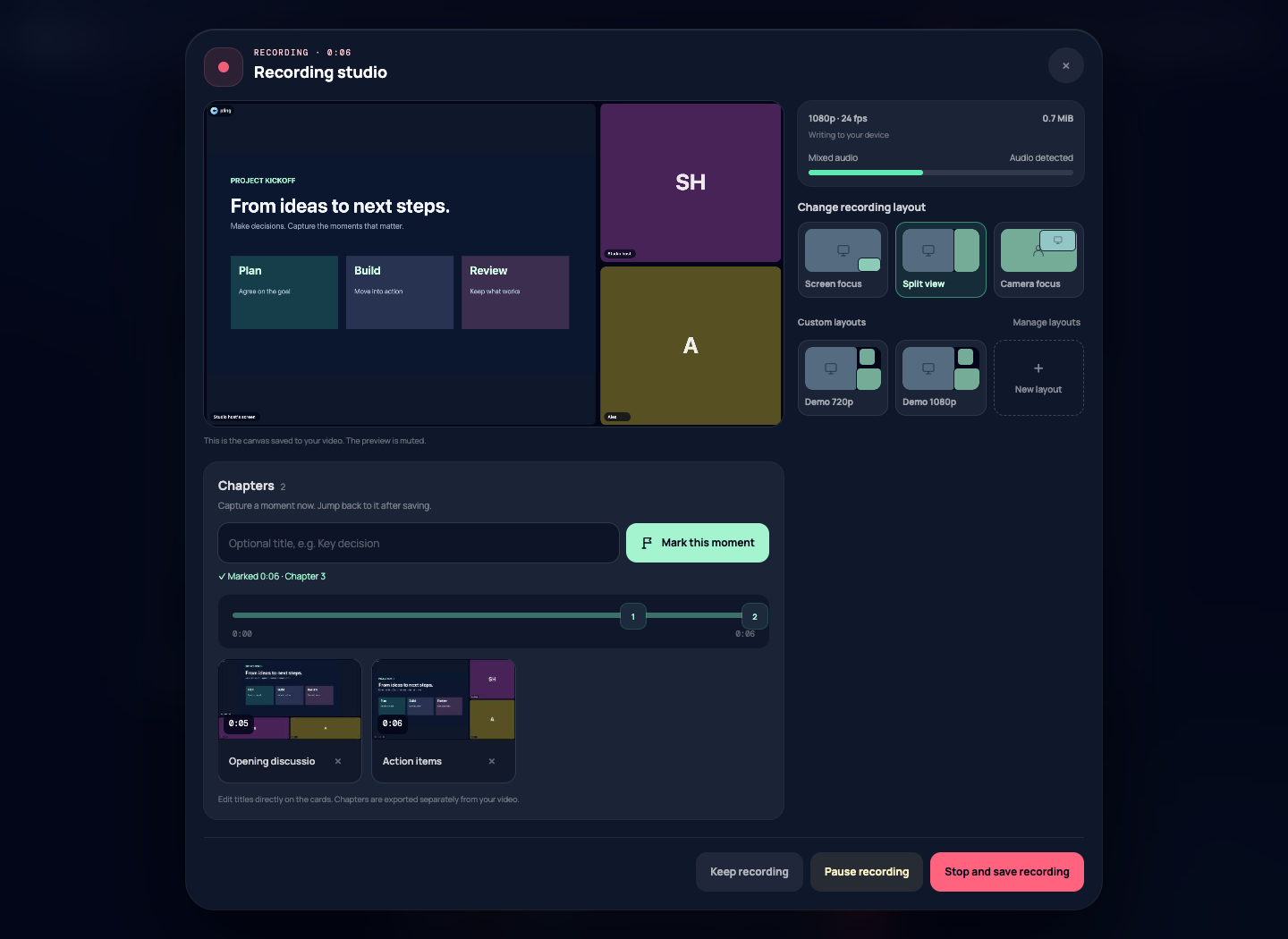
From setup to saved video
Use Pling for a guest conversation, a customer story or a research interview. The built-in recorder creates a combined video of the room, ready for you to review and edit.
Start a recording room and copy its invitation link. Your guest enters a display name and joins from their browser. No guest account or software installation is needed.
Ask both speakers to use headphones and check their microphones. Make a brief test recording before the interview, save it and listen back. A stable connection and a quiet space help the conversation.
Explain what you will record and how you plan to use it. Confirm consent in recording setup and start. Preview the combined canvas in the studio and choose a layout that keeps your speakers visible.
Add named chapters for questions or strong answers, and pause if you take a break. Stop and save the WebM locally. Export chapter timestamps separately to locate sections in your editing workflow.
Create an interview room
This opens a Pling room. Check your devices, then start recording from the room controls when you are ready.
Made for the way you work
An invitation link takes guests to a browser-based room. They can check their devices before joining, without creating another account just for your interview.
Switch recording layouts during the conversation and preview what is being captured. Share a screen if you want to discuss a portfolio, a product or a document together.
Mark key moments while the interview is happening. Named timestamps and a portable chapter player help you return to useful answers after you save the recording.
No. Share the Pling room link with your guest. They enter a display name and grant camera or microphone access in their browser; an account and installation are not required.
Yes. A Pling room supports up to eight people in total, including the interviewer. Recording combines the chosen camera and screen layout with mixed call audio.
No. The current recorder exports one combined WebM video with mixed audio, rather than isolated speaker tracks or separate guest-side recordings.
Yes. Pause and resume from the recording studio while the call continues. Paused time is removed from the saved recording, so you can take a break without including it in the video.
No. The recording is saved on the recording participant’s device. Pling does not upload or store that video on its servers. Room chat and transcript data have separate handling described in the privacy policy.
Read more about room data and recording in our privacy policy.
Record your screen, webcam and microphone together in your browser. Make tutorials and walkthroughs with free local WebM recording. No signup or installation.
Online classesHost and record an online class with your camera, slides and students in a Pling room. Free for up to 8 people, no signup. Save the lesson on your device.