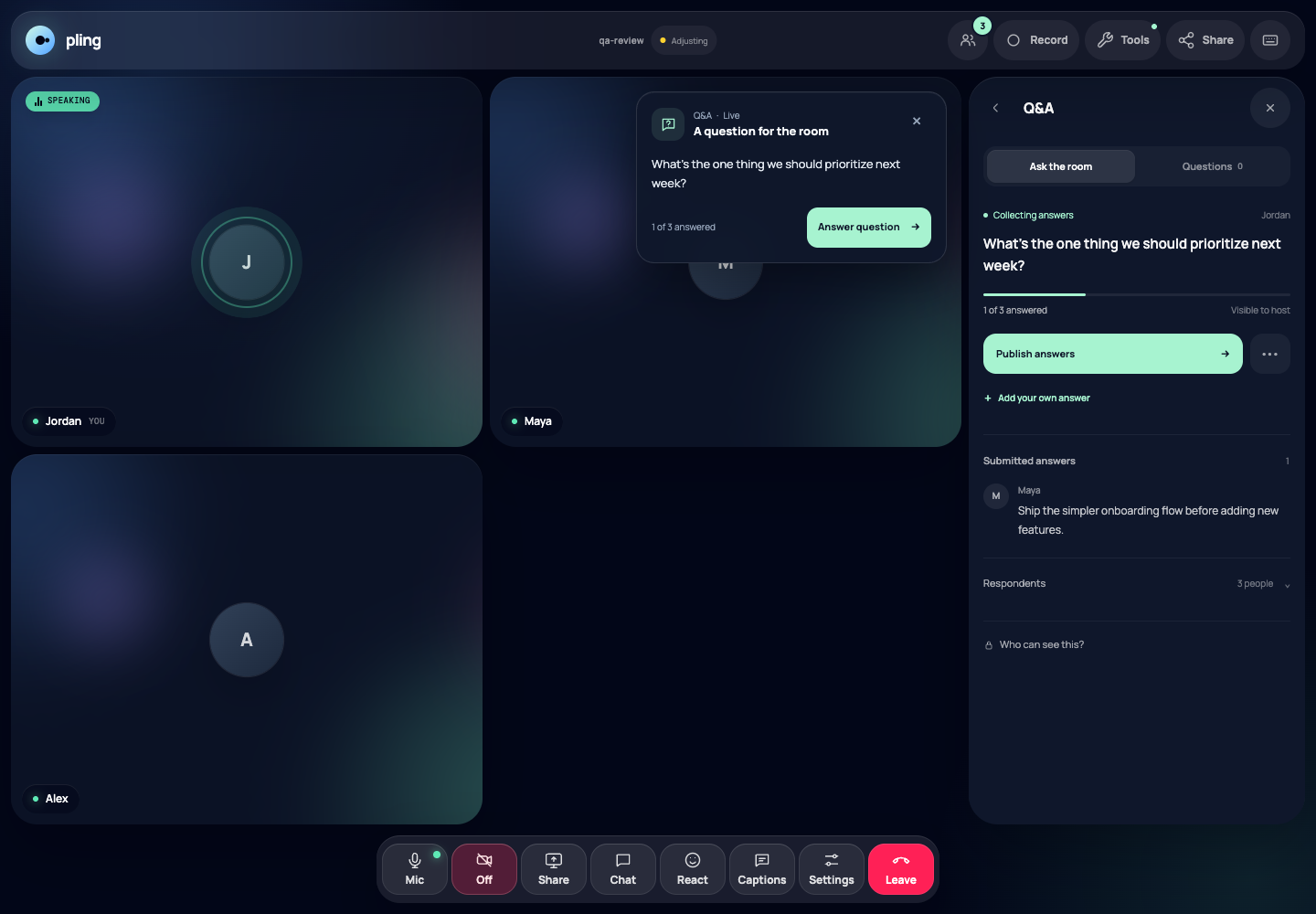
The best small-group sessions make space for everyone to think, ask, and contribute. Pling brings your lesson or presentation together with Q&A that gives every voice a place.
Up to 8 people, including you. Free. No account or installation.
Inside PlingThink → collect → reveal
A real room with demo participants. The host reviews submitted answers before revealing them to everyone together.
✓ Screen sharing
✓ Independent answers
✓ Live discussion questions
✓ Shared notes
✓ No meeting time limit
Two ways to bring people in
From “any questions?” to a real conversation.
For lessons
Check understanding before moving on.
“How would you explain this idea in your own words?”
Ask everyone to think independently. Review submitted answers as the host, then publish them together to compare approaches and spot what needs another explanation.
For presentations
Keep the questions in the conversation.
“What is the biggest risk in this proposal?”
Share your slides while the group adds discussion questions. Let upvotes surface shared concerns, bring one question into focus, and leave room for a follow-up with Still unclear.
Small enough to connect. Equipped to participate.
01
Every voice gets a turn
Host-led rounds give everyone space to write an answer before the group sees the responses. No need to race to speak first.
02
The presentation keeps flowing
Screen sharing, a discussion queue, and a floating Q&A card keep the material and the conversation together in one room.
03
Less setup, more participation
One browser link brings up to eight people together. Use an agenda, shared notes, polls, and a countdown as the session needs them.
Your next session
A link. A question. Everyone involved.
1. Invite your small group
Create a room and share its link. Set an agenda and share your slides, worksheet, or screen when you’re ready.
2. Give people time to think
Open Tools → Q&A → Ask the room. Start a question, collect answers, and publish when you want everyone to compare ideas.
3. Follow the questions that matter
Use the Questions tab for questions and votes. Discuss one together, mark it answered, and let its author tell you if it is still unclear.
This creates a regular Pling room. Check your devices, join, and open Q&A from Tools.
A few things to know.
How many people can join?
A Pling room supports up to eight people, including the host. It is a good fit for tutoring, study groups, workshops, and presentations where everyone can take part.
Who can see answers before they are published?
Each person can see their own submitted answer, and the current room host can see all submitted answers. Everyone else sees only the total response count. Publishing reveals every submitted answer together. Unsubmitted drafts stay in browser memory.
Can people ask questions during a presentation?
Yes. Anyone in the room can submit a discussion question and upvote someone else’s open question. The host can bring a question into focus and mark it answered. Its author can reopen it with Still unclear.
Do learners need an account or an app?
No. Share the room link, enter a display name, check your camera and microphone, and join in the browser. Rooms are free, with no meeting time limit.
Can I share slides or record a lesson?
Share a tab, application, or screen to present slides or demonstrate a task. Anyone can choose to record locally, and the room shows who is recording. Recordings save to that person’s device rather than uploading to Pling.
Questions and submitted answers use the room’s server storage and retention. Read the privacy policy for details.